The Service Area section on a Google Business Profile can make or break a business, but not in the ways that you might think. Many businesses depend on their Google Business Profile to ensure they thrive, especially small businesses that operate from home and mobile businesses. If your business operates a storefront location, then Google wants you to publish that address so that it is shown to the public – and the public wants to know where your business is located are so that they can visit. However, when it comes home- and mobile-based businesses, Google wants owners to hide their location from the public, making them into a Service Area-Business.
The Service Area-Business
Often times people mistakenly publish their home address under the impression that it will make them more visible, but Google now more easily detects the policy violation for such activity. While there are legitimate home-based businesses with a publicly-shown home address, such as a day care center, dog breeder, and fortune telling services for example, Google requires that permanent fixed signage be prominently displayed to visitors at the home business address. Mobile- and home-based businesses that perform work elsewhere, such as a window cleaning service, janitorial service, and especially a home-based locksmith business for example, should hide their address by toggling off the “Show business address to customers” under Location and Areas (illustrated below).

It is a commonly-held misconception that you must have a published address to rank. The only real difference between a shown business address for a storefront and a hidden business address for a service-area business is a visible map pin. When you hide the business address on a Google Business Profile, it essentially makes that map pin invisible. Local results are influenced exactly the same, relying on proximity (to the hidden address), relevance, and prominence.
How the Service Area List Works
Whenever a mobile- or home-based business hides their address and become a Service-Area Business, they may wish to add nearby locations to the Service area field below Location and Areas. Understand that adding locations to the Service area list does not promote the Business Profile in different cities. Google will always use proximity of the person searching to the business address for this purpose, hidden or public, along with other ranking factors: relevance and prominence. The Service Area only functions to display a map outline (or occasionally a list) to customers who visit the Business Profile, so that they can determine for themselves if your business will travel out to them in their area.
For example, if you are a repairman located in City-A, and customers are located in City-B, your profile will not be any more or less prominently displayed on Google Maps by adding City-B to the list of Service Areas, or even if City-B is the only location listed. A business extends the reach of its prominence through various methods, such as online citations, backlinks, and online brand mentions, to name a few. If the person in City-B sees the business profile, it is not because the owner added City-B to the Service Area list. But if they see City-B on that list, it confirms to them that you might drive out to provide services.

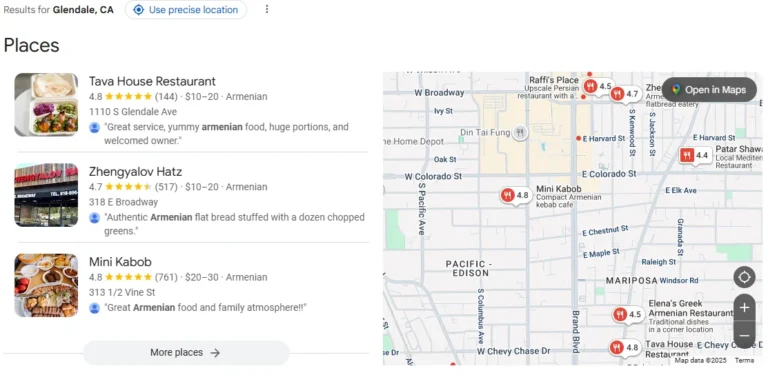
Many, if not most, of the Google Business Profiles that I inspect often have every possible city listed – up to the maximum of twenty areas. As you just learned, this has no impact on where the Business Profile will be displayed, which depends on the ranking factors proximity, prominence, and relevance. When someone searches for a business, the profile will have a Maps panel that looks like the image below:

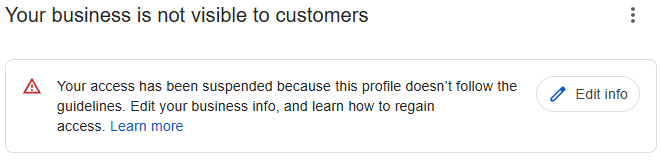
Avoid Policy Violation Suspensions
If you’re in disbelief of my explanation and dead-set on populating the Service Area list with every destination possible, go for it, but abide by Google’s guidelines and list only the areas within a two-hour drive from your business address. While there are SEO techniques to bolster the Service Area locations, by themselves they offer no promotional benefit. If your business isn’t visible when you search for your primary category with location city, contact us to discuss how we can improve visibility for your Google Business Profile.
For those poor souls who found this article after the fact, and are trying to appeal a suspension, Olin Coles is a Silver-rated Google Product Expert for Google Business Profiles, and specializes in suspension appeals.
📞 Call us at 775-544-6563
📧 Send us a secure message to request a free GBP consultation!